
Baby Panda's Photo Studio
BabyBusEducational
4.027.00 Reviews
- Version
- 8.73.00.00
- Installs
- 5.00M
- Age Rating
- Everyone
Screenshots
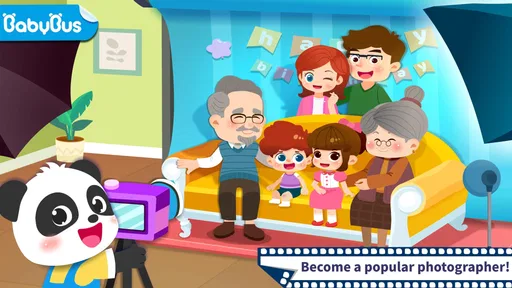
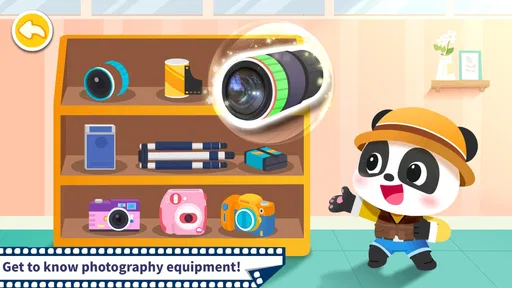
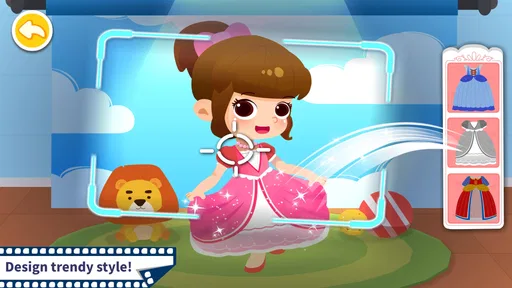
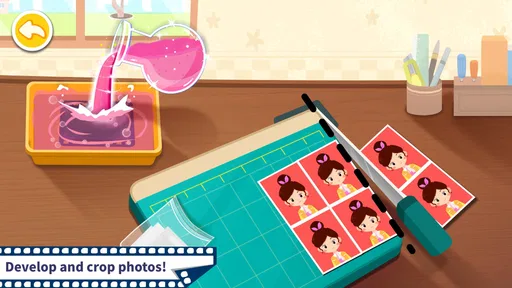
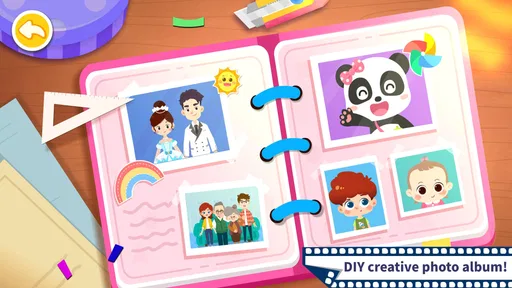
Our Review of Baby Panda's Photo Studio
 Analysis by Appyee
Baby Panda's Photo Studio is the kind of game I would hand to a young child who enjoys pretend play, pictures, and simple creative tasks. I spent time looking at it not just as an educational game, but as an experience that has to work for different children, attention spans, motor abilities, and playing situations. Its central idea is easy to understand: children run a photo studio and create pictures in different styles. That gives the game an appealing role-play frame without making the child deal with complicated rules or a demanding story.
Developed by BabyBus, this free game sits in the educational category and is rated for Everyone. It has reached over five million installs and holds an average rating of four out of five from around six and a half thousand ratings. Those figures suggest that it has found a substantial audience, although they do not replace trying it with the particular child who will use it. In my experience, the strongest reason to consider it is its gentle combination of imagination, visual choice-making, and a familiar real-world activity.
How the photo-studio idea works for young players
The photo studio setting gives children a clear purpose from the beginning. Rather than presenting an abstract collection of mini-games, it places the player in a recognizable pretend job: preparing a photo session and taking pictures. That context matters for children who understand activities more easily when they can connect them to something they have seen adults do. A child may not care about “creative composition” as a concept, but may happily choose a look for a photo and decide what feels right.
I also like that the theme leaves room for experimentation. A child can approach the game as a small story, imagining that customers are visiting the studio, or treat it as a visual activity where the fun comes from trying different styles. This flexibility makes it more suitable for short, casual sessions than a game that expects the player to remember a long sequence of instructions.
The game is not a photography lesson in the serious sense. It does not replace a camera app, an art class, or a structured early-learning program. Its educational value comes more naturally through selection, observation, sequencing, and pretend-play language. When I played with that expectation, the experience made more sense: it is a playful digital studio, not a technical course about lenses, lighting, or editing.
That distinction is useful when deciding whether it fits your family. If you want a child to explore visual choices without worrying about real photographs, it has a clear advantage over a standard camera app. If you want detailed drawing tools, open-ended construction, or a measurable lesson plan, a different educational game will probably be a better match.
Readability and navigation for early players
The photo-studio concept is visually direct, which helps reduce the amount of reading a child needs before getting started. Young players who are still learning to read can often understand an activity through its pictures and context more readily than through menus full of written instructions. That is particularly helpful when an adult wants to let a child explore independently for a few minutes.
In my view, the best way to introduce it is to sit beside the child for the first session and observe what they understand without help. This reveals more than simply asking whether the game is easy. Some children recognize visual cues immediately, while others need an adult to explain what each screen is asking them to do. Once the basic flow is familiar, the child may be able to repeat it with less support.
There is also an important difference between recognizing an icon and understanding its consequence. A child may know which button moves forward but still not understand why a particular style changes the result. I found that asking simple questions such as “Which one do you like?” or “What changed?” turns navigation into a conversation rather than a test. That approach makes the game more useful for language development and personal expression.
Parents should still avoid assuming that a picture-based interface is automatically accessible to every child. Visual menus can be helpful for non-readers, but they may be difficult for children who have trouble distinguishing small details, similar colors, or busy scenes. The game’s appeal is strongly visual, so the child’s ability to interpret what is on screen plays a major role in how comfortable the experience feels.
Touch control, attention, and sensory comfort
Photo activities sound simple, but they can involve several kinds of touch behavior: tapping a choice, moving between screens, and possibly repeating actions until the desired result appears. For a child with developing fine-motor control, the practical question is not whether the game is “easy” in general, but whether the child can reliably hit the intended visual target on the device being used.
A larger tablet may feel more forgiving than a small phone because there is more room to see the choices and touch them without covering the screen with a hand. On the other hand, a tablet can be heavier or harder for a child to hold. I would place the device on a stable surface and let the child use one or both hands naturally, rather than expecting them to hold it throughout the activity.
For children who tire quickly, the studio format works well in brief bursts. There is no need to turn every session into a long sitting. A parent can suggest one photo activity, pause, and return later. This is also a sensible approach for children who become frustrated when too many choices appear at once. Limiting the session is not a failure of the game; it is a way of matching the experience to the player.
Sensory preferences deserve equal attention. A visually busy game can be exciting for one child and distracting for another. If your child is sensitive to movement, sound, or rapid changes on screen, start with the device volume low and watch their reaction. I would not describe the game as universally calm simply because it is aimed at children. The right level of stimulation depends on the child and the setting.
One practical strategy is to use the game in a quiet room rather than alongside television, music, or several conversations. That gives the child a better chance to understand the visual sequence and makes it easier for an adult to notice when the experience is becoming tiring. It also helps separate genuine difficulty with the game from distraction caused by the environment.
Using it at home, while travelling, or with an adult nearby
This is a useful candidate for a short waiting-time activity: a child can explore the pretend studio while an adult is nearby and available to explain a choice. I would be more cautious about treating it as a completely hands-off solution during a busy journey. Travel introduces glare, movement, limited hand stability, and competing noise, all of which can make a visually guided game harder to use.
At home, the game can become a starting point for an offline activity. After a session, a parent might ask the child to design a pretend studio on paper, describe which style they would choose for a family picture, or take a real photograph with adult supervision. The digital game then supports conversation and imagination instead of becoming the entire activity.
It can also work well in a shared play situation between an older and younger child, provided the older child does not take over every decision. One child can choose the style while the other explains what they see or suggests a different option. That creates a simple cooperative routine, although adults may need to guide turn-taking when both children want control of the device.
For families deciding whether the game can be used without an internet connection, I would check the current behavior on the specific device before relying on it for a flight, appointment, or long trip. The safest preparation is to open it in advance, confirm that the activities you expect to use are available, and make sure the device is charged. That small test is more useful than assuming every game behaves the same way away from a network.
What it supports well, and where the experience remains limited
The clearest strength is the combination of a familiar role and creative choice. Children can practice communicating preferences without being asked to produce a correct academic answer. That is especially valuable for a child who enjoys making decisions but loses interest in drills. The photo-studio setting also gives adults natural prompts: “Why did you choose that?” and “What would you change for another picture?”
Another less obvious strength is that the game may be easier to revisit than a one-time puzzle. A child can return to the idea of the studio with a different mood and make different selections. That repeatability supports imaginative play, though it does not necessarily provide increasing difficulty. Parents looking for a clear progression of skills should judge it as a creative activity rather than a structured curriculum.
The main trade-off is that visual simplicity can also mean limited depth. Children who quickly understand the activity may soon want more control than the game provides. A child who prefers building, drawing freely, or solving increasingly difficult problems could outgrow the studio format. In that case, a drawing app, a construction game, or a more systematic educational title would offer a stronger long-term challenge.
There is also the question of in-app purchases. The game is free to download, while individual purchases range from ninety-nine cents to two dollars and forty-nine cents. For a child using the device independently, I would set up the relevant purchase protections before handing it over. Even when the amounts are modest, the important issue is preventing an accidental tap from changing the family’s expectations about what “free” means.
Because the content rating is Everyone, families may reasonably expect a child-friendly presentation. That does not mean every child will find every screen comfortable or every interaction intuitive. I would still preview the game, especially for a child with visual, motor, communication, or sensory needs. A short shared trial is the most reliable way to decide whether its particular design suits them.
Device planning and practical details
The game requires Android 6.0 or later, so it can run on a range of older compatible devices rather than demanding the newest phone or tablet. The current version is 8.73.00.00. I would still update it before a child’s first session and then test it on the exact device you plan to use, since performance and comfort depend on screen size, touch response, battery condition, and the way the device is positioned.
BabyBus has made a game that is easy to explain in one sentence, and that is a real advantage for adults. You do not need to teach a complicated rule system before the child can begin exploring the studio. The more useful preparation is environmental: choose a comfortable position, reduce distractions, make sure the child can reach the screen, and decide whether you will play alongside them or observe from nearby.
I would also treat the game as one option in a broader routine rather than a replacement for hands-on play. A child who spends a few minutes creating a photo style can then talk about faces, colors, clothing, or stories. Those follow-up activities are where the experience can gain educational value beyond tapping through the screens.
For children who communicate without much speech, the visual choices may provide a way to indicate likes and dislikes. An adult can accept pointing, eye gaze, gestures, or simple sounds as meaningful responses rather than insisting on a verbal explanation. The game itself does not need to carry the full burden of communication; it can serve as a shared object that makes interaction easier.
Who should try it and who should choose something else
I would recommend trying it for a preschool or early-primary child who likes pretend shops, cameras, dressing up, visual matching, and making choices. It is particularly promising for a child who enjoys repeating a familiar activity at their own pace and benefits from an adult turning screen time into a conversation.
I would be less enthusiastic for a child who needs strong text support, detailed accessibility controls, challenging educational progression, or a completely open-ended creative workspace. It may also be a poor fit for a child who becomes distressed by busy visual presentation or who cannot comfortably use touch controls without significant assistance. In those cases, an app with larger, simpler controls, stronger customization, or alternative input support may be more appropriate.
The game is also not my first choice for teaching real photography skills. A supervised camera activity would be better for learning about framing, light, distance, and taking actual pictures. Here, the value is imaginative participation in a photo-studio scenario, not technical mastery.
After using it, my overall impression is positive but specific: this is a friendly creative game, not an all-purpose learning tool. Its strongest moments come when a child is allowed to make choices, explain them, and revisit the activity without pressure. Its weaker moments appear when a player needs more challenge, more control over the interface, or a quieter and more adaptable sensory experience.
An inclusive verdict for families
Baby Panda's Photo Studio earns a place on my shortlist for families seeking a free, child-focused activity built around visual creativity and pretend play. I appreciate that its theme is immediately understandable and that it can support shared conversation without requiring a child to read fluently or follow a complicated story. The Everyone rating and broad availability make it approachable, while the large existing audience suggests that many families have found it worth trying.
My recommendation comes with a practical condition: treat accessibility as a personal fit, not a label. Test the controls, watch how the child responds to the visual presentation, and choose a device setup that reduces reaching and glare. If the child enjoys the studio but needs help, that support can become part of the play. If the child struggles with the interface, the problem is not a lack of effort; another type of game may simply suit their abilities better.
For a short creative session, a waiting-room distraction with adult awareness, or a prompt for offline photo and storytelling play, it does its job well. I would skip it for advanced photography education or demanding skill progression. Used within those boundaries, it offers a pleasant way for children to explore choices and imagination, with enough flexibility to include different play styles when an adult pays attention to what each child needs.
Verdict
Strengths of Baby Panda's Photo Studio
- Simple controls make it suitable for preschool-age children.
- Creative stickers and props encourage imaginative play.
- Bright visuals and friendly characters are appealing to kids.
- Photo activities can help children recognize colors and objects.
- Works well as a short, casual activity without complex rules.
Limitations of Baby Panda's Photo Studio
- Some features may be locked behind in-app purchases.
- The experience can become repetitive after several sessions.
- Ads or promotional content may distract younger children.
- Photo permissions may concern parents who prefer strict privacy controls.
- Limited challenge may not hold the attention of older children.
Other Releases by BabyBus
View All
Little Panda Policeman
Educational4.0

Little Panda's Chinese Recipes
Educational4.4

Little Panda's Restaurant
Educational4.4

Little Panda's Ice Cream Games
Educational4.3
Similar Picks in This Category
View AllLittle Panda Policeman
BabyBus4.0

Monster Trucks Game for Kids 2
Raz Games4.1
Little Panda's Chinese Recipes
BabyBus4.4
Little Panda's Restaurant
BabyBus4.4
Little Panda's Ice Cream Games
BabyBus4.3

Baby Panda Care
BabyBus3.8
Frequently Asked Questions
What is Baby Panda's Photo Studio?
Baby Panda's Photo Studio is a child-friendly creative game in which children can explore photography, costumes, decorations, and simple image editing activities. Players can take pictures of Baby Panda and other characters, choose different backgrounds and accessories, and create playful scenes. Its colorful design and straightforward controls are aimed mainly at preschool and younger children.
Is Baby Panda's Photo Studio suitable for young children?
The game is designed with young children in mind, thanks to its bright visuals, simple touch controls, friendly characters, and activities that do not require advanced reading or gaming skills. Parents should still check the recommended age listed on the download page, since children develop differently. Younger players may also benefit from occasional adult guidance while learning the available tools.
Does Baby Panda's Photo Studio require an internet connection?
Many of the photo and decoration activities can generally be enjoyed without a continuous internet connection once the application is installed. However, an internet connection may be needed for downloading the game, receiving updates, loading certain content, or displaying store-related information. Availability can vary by version and device, so it is best to test the app in offline mode before traveling.
Are there advertisements or in-app purchases in Baby Panda's Photo Studio?
The presence of advertisements, optional purchases, or additional paid content may depend on the version, platform, region, and publisher settings. Parents should review the Google Play or App Store listing before downloading and check the device’s purchase restrictions. If the app is being used by a child, enabling parental controls is recommended to help prevent accidental taps on ads or purchases.
What devices support Baby Panda's Photo Studio?
Baby Panda's Photo Studio is intended for compatible Android and iOS smartphones or tablets, but exact requirements can change as the application is updated. Before installing, check the official store page for the minimum operating-system version, required storage, and supported device information. Keeping enough free space available can also help the game install correctly and run more smoothly.
Play our best games!


